Six steps, two apps
Two steps in Shotsy to get the file out, four in Shoteo to bring it in. Every screen below is the real app.
-
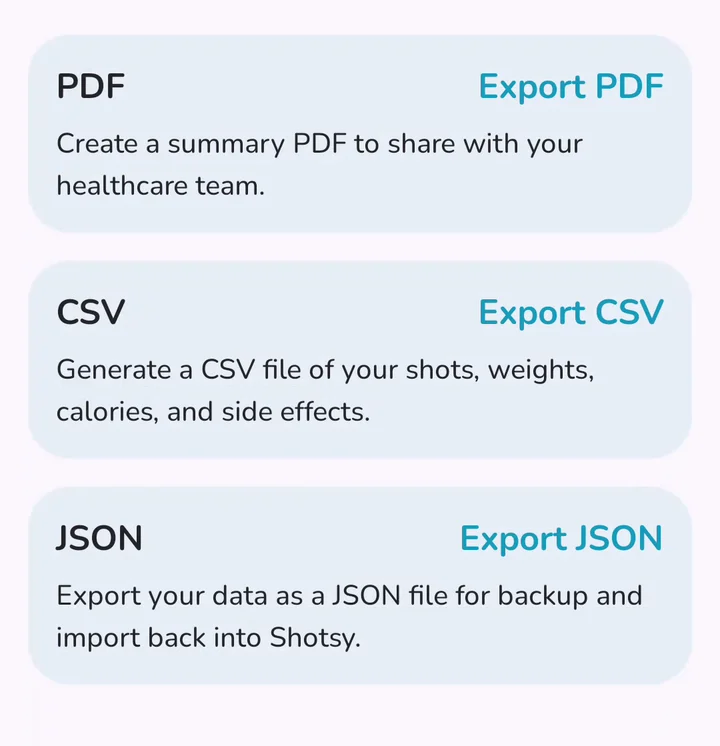 In Shotsy
Export from Shotsy
In Shotsy, open Settings → Manage My Data and tap Export CSV.
-
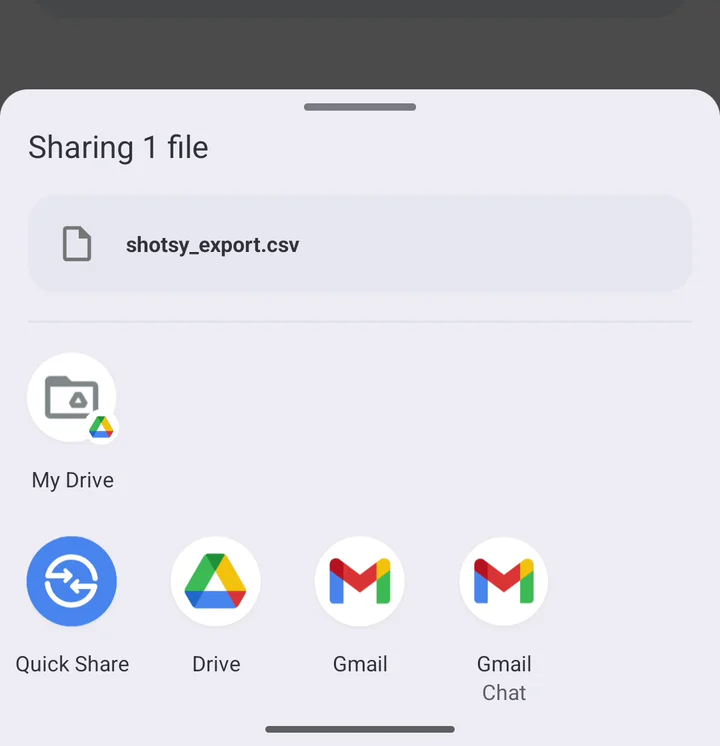 In Shotsy
Save the file
Your phone's share sheet opens. Save shotsy_export.csv to Google Drive or Files, anywhere you can find it again.
-
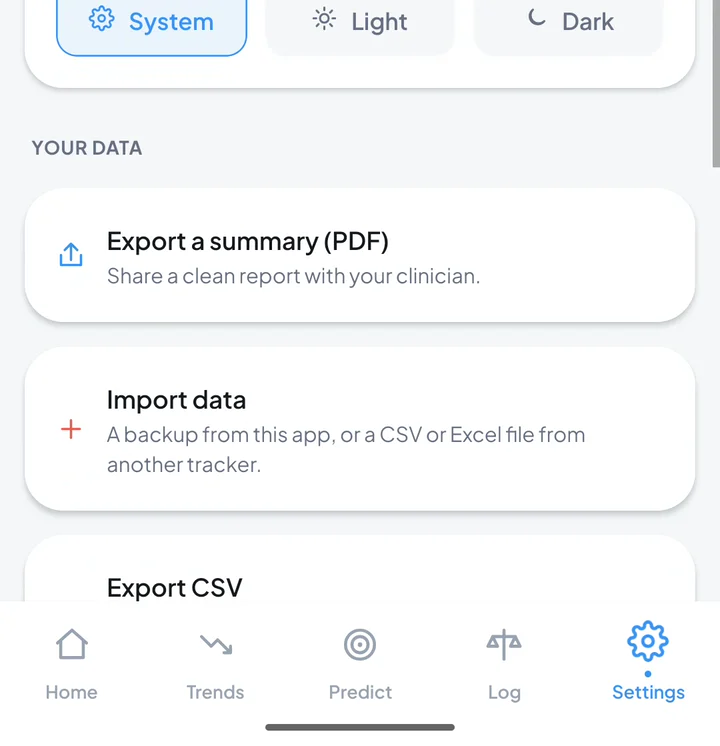 In Shoteo
Open the importer
In Shoteo, go to Settings and tap Import data.
-
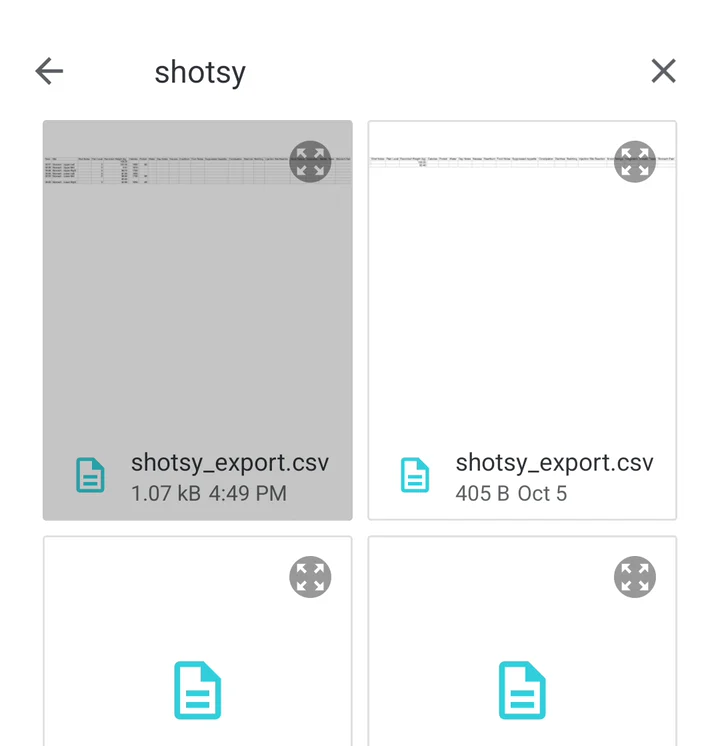 In Shoteo
Pick the file
Choose shotsy_export.csv. Exported more than once? Pick the newest.
-
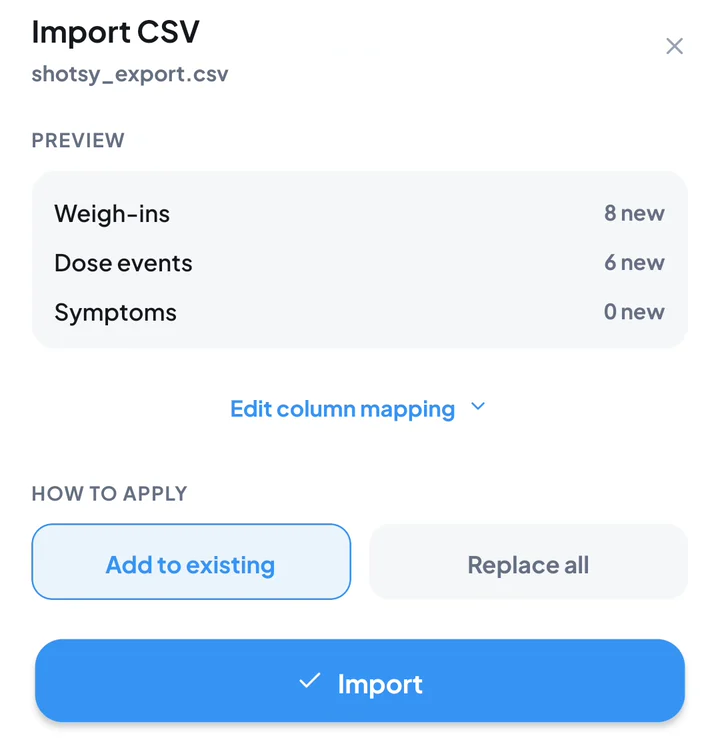 In Shoteo
Check the preview
Shoteo counts what it found before changing anything. Keep Add to existing and tap Import.
-
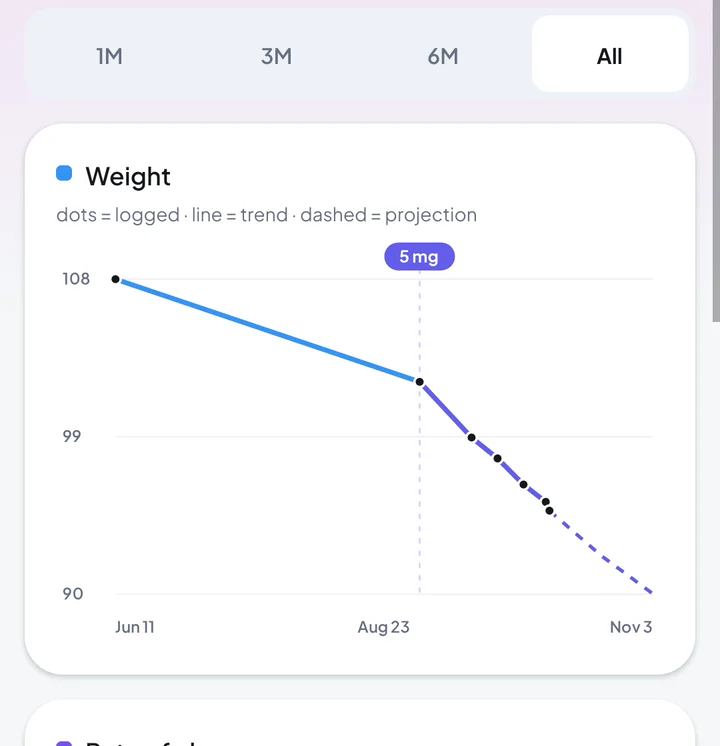 In Shoteo
See your history
Your weigh-ins and doses are in. Open Trends to see them charted.
Your history, not just your weight
Shoteo reads the columns in Shotsy's export and shows you a count of everything it found before it changes anything.
Weigh-ins
Every recorded weight, in kilograms or pounds — converted to the unit you use in Shoteo.
Doses
Date, time, medication, dose, injection site, pain level and your shot notes.
Nutrition
Calories, protein and water for each day you logged them.
Symptoms
Nausea, heartburn, food noise and appetite, with their severity. Columns Shoteo does not track stay in the file, untouched.
Day notes
The notes you wrote on a day travel with it.
Your start date
If the file goes back further than your Shoteo journal, your journey start moves back to the earliest date in it.
The file stays on your phone
Moving your history should not mean handing it to anyone. Shoteo has no account and no server, so the import cannot send it anywhere.
- The CSV is read on your device, never uploaded
- You see a preview before anything is written
- Add to existing keeps everything you already logged
- Delete every trace from Shoteo in one tap, any time
About moving from Shotsy
Does Shotsy have an export?
Yes. In Shotsy, Settings → Manage My Data → Export CSV writes every shot, weigh-in, nutrition entry and symptom to one file called shotsy_export.csv.
Does it work on iPhone and Android?
Yes. The steps are the same on both; only the place you save the file differs — Files on iPhone, Google Drive or Files on Android.
Is my data uploaded anywhere?
No. Shoteo reads the file on your phone and stores the result on your phone. There is no Shoteo account or server for it to go to.
What if I import the same file twice?
Nothing is duplicated. The preview marks entries Shoteo already has as already present, and Add to existing only adds the new ones.
Can I keep using Shotsy?
Yes. Exporting does not change anything in Shotsy. To bring later entries across, export again and import the new file.
What about the estimated medication level?
It is not copied. Shoteo calculates its own estimate from the doses you imported, and labels it an informational estimate, not a measurement.
What if a column is not recognised?
Tap Edit column mapping on the preview and point each column at the right field yourself. The preview updates before anything is imported.
Shotsy is a trademark of its owner. Shoteo is an independent app, not affiliated with or endorsed by Shotsy. Screens are shown only to explain how to export your own data.
Ready when you are.
Shoteo is free on the App Store and Google Play. No account, no wait-list — install it and import your file.