Three taps to a PDF
Every screen below is the real app.
-
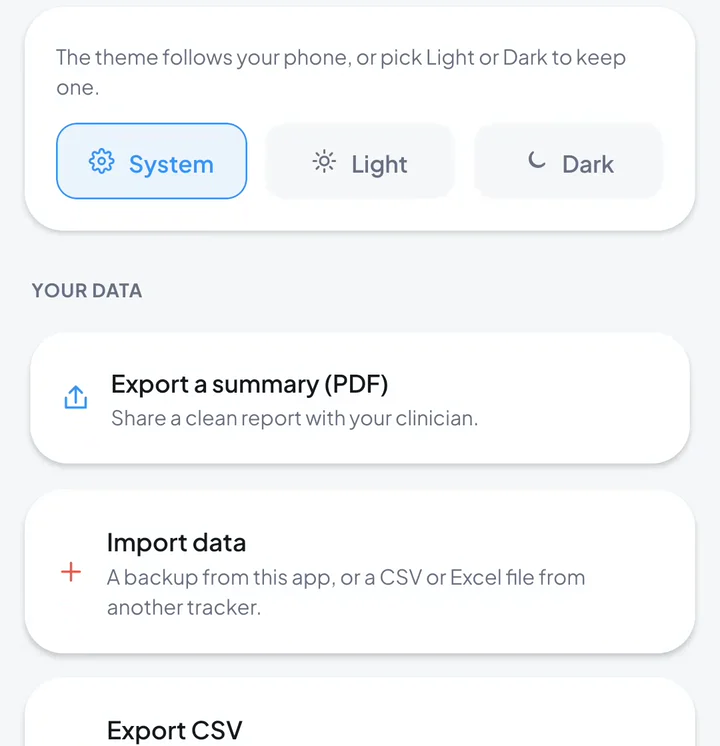 In Shoteo
Export the summary
In Shoteo, go to Settings and tap Export a summary (PDF).
-
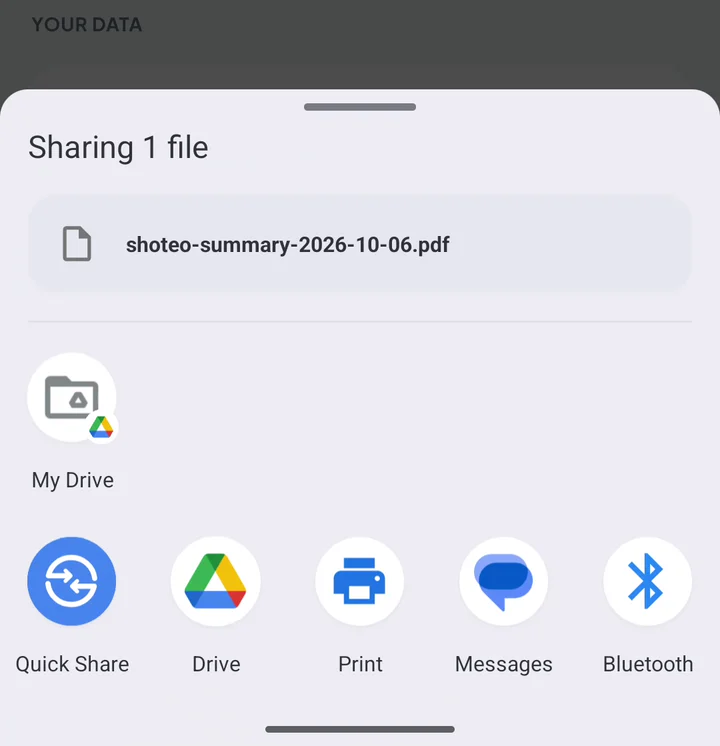 To your clinician
Print it or send it
Your share sheet opens with shoteo-summary-….pdf. Tap Print, or send it by mail, message or your clinic's app.
-
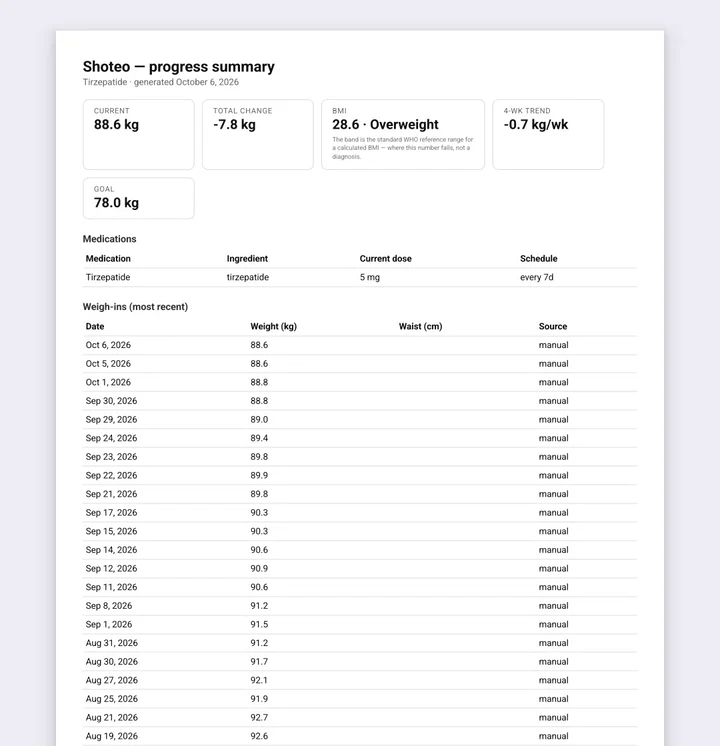 To your clinician
Your summary
Current weight, total change, BMI with its reference band, 4-week trend and goal up top — then everything you logged.
What your clinician sees
The summary lists what you logged and what Shoteo calculated from it. It does not interpret any of it — that conversation is yours to have.
The summary up top
Current weight, total change, BMI and its WHO reference band, your 4-week trend and your goal.
Medications and doses
Each medication and schedule, then every dose with date, amount, status, injection site and notes.
Weigh-ins and measurements
Your weigh-ins, plus waist, hip and body-fat entries.
Nutrition and symptoms
Calories, protein and water; symptoms with severity and your notes.
Wellness and labs
Mood, energy and sleep, and any lab values you recorded.
Sources
The WHO and regulator documents behind the BMI bands and the modeled level, and a note that Shoteo is a tracker, not a medical device.
It goes where you send it — nowhere else
The PDF is made on your phone. Shoteo does not send it anywhere; you choose who gets it.
- Made on your device, from your journal
- Shared only through your phone's share sheet
- No Shoteo account, no upload, no copy kept by us
- In the language you use Shoteo in
About the summary
What is in the PDF?
A summary of your current weight, total change, BMI with its reference band, 4-week trend and goal, then tables of your medications, doses, weigh-ins, measurements, nutrition, symptoms, wellness and labs, with the sources Shoteo uses.
Does Shoteo send it to my doctor?
No. Shoteo makes the file on your phone and opens your share sheet. You decide whether to print it, mail it or send it through your clinic's app.
Does it interpret my results?
No. It lists what you logged and what Shoteo calculated from it. It gives no advice and no diagnosis — what the numbers mean is for you and your clinician.
Can I print it?
Yes. Tap Print in the share sheet, or save the PDF and print it from any computer.
Which language is it in?
The language you use Shoteo in — English, French, German, Spanish, Portuguese, Italian or Arabic.
Is the estimated medication level in it?
No. The PDF lists the doses you logged, not Shoteo's modeled level. In the app, that level is labelled an informational estimate, not a measurement.
Ready when you are.
Shoteo is free on the App Store and Google Play. Log as you go, and the summary is ready when your appointment is.